Organising your precious photos
4 minute read
Ian Killick from Photorganised shares his thoughts on being a professional photograph organiser and ways to help you get your own project underway.
Why has photo organising become a profession and a hobby?
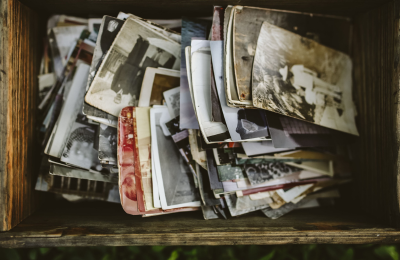
People have been taking digital photographs for more than 20 years and are beginning to realise not just how many they have taken, but that they don't have time to sort through and view them all properly. Add to your digital catologue all the print or slide photos in cupboards and boxes (which they now wish they had in a digital format) and you can see why people are looking for some help.
This is where a photo organiser comes in: to help save people time and provide the skills needed to kick-start a photo sorting project or take the job through to completion.
Why are photo organisers linked to APDO?
Photos are one of the most important categories which people need help with decluttering and organising, because they can hold important, happy memories for they can hold memories which people do not want a physical reminder of. APDO members are professional declutterers and organisers who, whilst sorting a home or office, might come across photos which need organising. Some APDO members are trained in this specialist area or they can introduce their client to a specialist photo organiser. Some photo organisers are also members of the Association of Personal Photo Organizers (APPO) and have passed their Certification Programme. We all work together to achieve the best solution for our clients.What kind of projects can photo organisers assist with?
 Photo organisers can help with:
- Scanning slides, negatives and prints
- Photo editing
- Identifying and removing duplicate photos
- Photo storage and backups / archiving
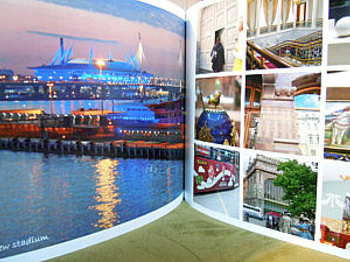
- Creating albums, photobooks and wall art
- Integrating disparate photo sets together
- Setting up digital cataloguing / display software such as Apple Photos or Lightroom.
What triggers people's photo organising projects?
There are some common trigger points:- Upcoming milestones or events: Where photos are needed to create a personalised present. Examples are family yearbooks to surprise a spouse on their birthday or wedding photobooks to surprise the parents/in-laws at Christmas.
- Relationship break-up: When couples split, they sometimes want to refresh their family photo wall art around their house and ask for help to organise / filter their photos first.
- Businesses: Needing to find photos for an upcoming website refresh or publication, but their photos need organising first.
- Death of a relative: Families may like short-term help sorting through photos for the funeral order of service and display board at the wake. Or they may like long-term help sifting through the inherited photo collection and deciding which photos to keep and how to display and store them.
- Computer / phone failure: When someone's electronic device crashes and they lose photos on them, it makes them think about how they could do things differently i.e. keep their photos backed up so if their device crashes again they won't lose any precious memories.
- Frustration: Sometimes there is no set trigger. People get fed up with not being able to find or view their photos and feel they just have to do something about it. Finding a photo organiser to help can relieve the stress for them.
What photo organising setup you would suggest?
I have learnt over years of photo organising that there is a huge variety of software to support photo storage and editing. Platforms like Apple, Windows, Android and iOS, plus numerous combinations of these within each home and office. Many people like to stick with what they know and make sure that everything is organised and backed up within their existing setup. Others are forced to change when software is no longer supported and they have to migrate their photo collection to another program. Photo organisers do not force a particular system on to their clients but work within their current set up, making suggestions and helping them with any changes.
What are your top tips?
- Set aside a regular time to work on your photos: e.g. Transferring them from camera to computer, deleting duplicates or adding filenames/tags, etc. It certainly helps gain momentum with your project if you are tackling it yourself or doing prep work before handing over to a Photo Organiser.
- Even if all your digital photos are not named and organised, make sure you have another copy of them, especially in another location (e.g. family member's house or on the Cloud) so if anything happens to one set, you still have a backup and avoid losing any precious memories.
- Aim to make your photos more tangible and viewed more often: Even children who have grown up in the digital era and have never taken their camera film to be developed into prints, still love to view photos away from the screen and in a printed format like photobooks. They are great fun to make, help ensure memories are not forgotten and make great gifts!
If you would like a professional to support you with your photo organising project, find your nearest photo organiser here.